Reminder app for iPhone

Never miss what matters.

Reminders, to-dos and birthday reminders in one simple app. Alarms that ring even in silent mode, and wishes ready to send.
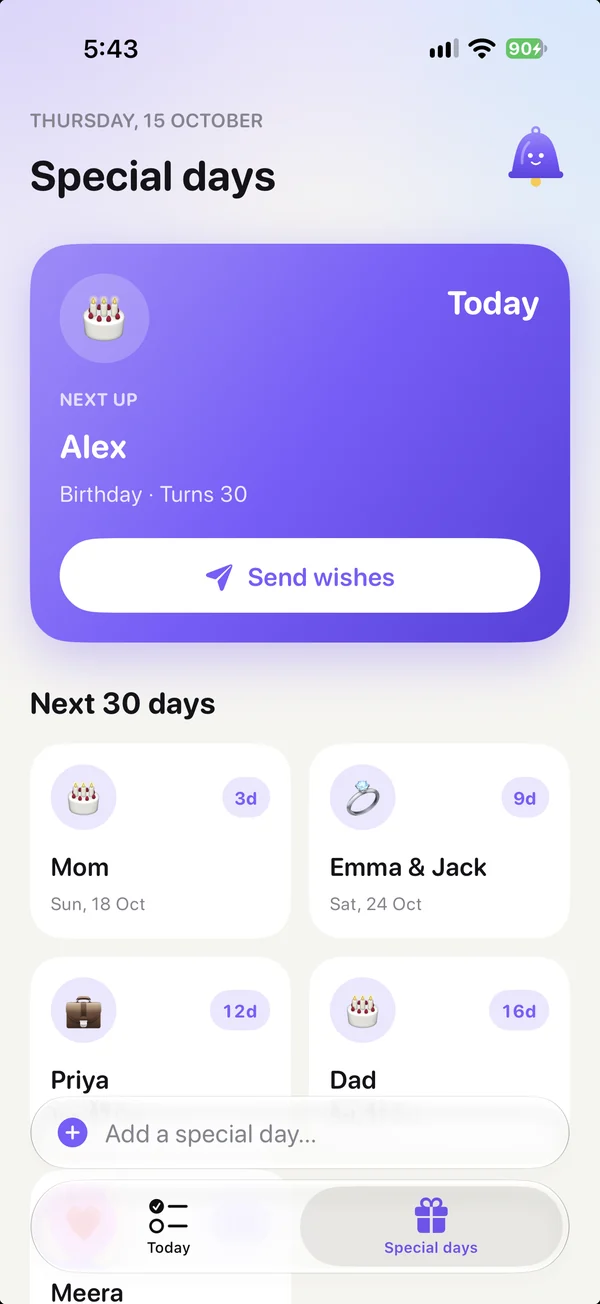
Foxnudge Special days screen: Alex’s birthday is today, with Send wishes, and the next special days
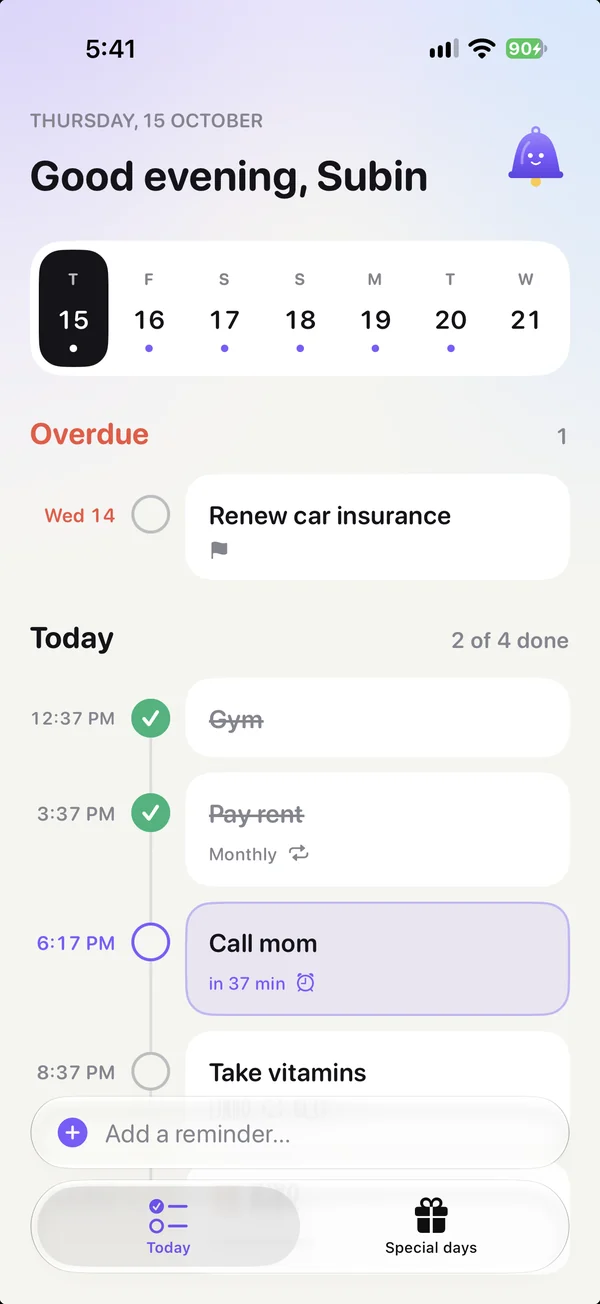
Foxnudge Today screen: a week strip and a timeline of the day, with the next reminder highlighted
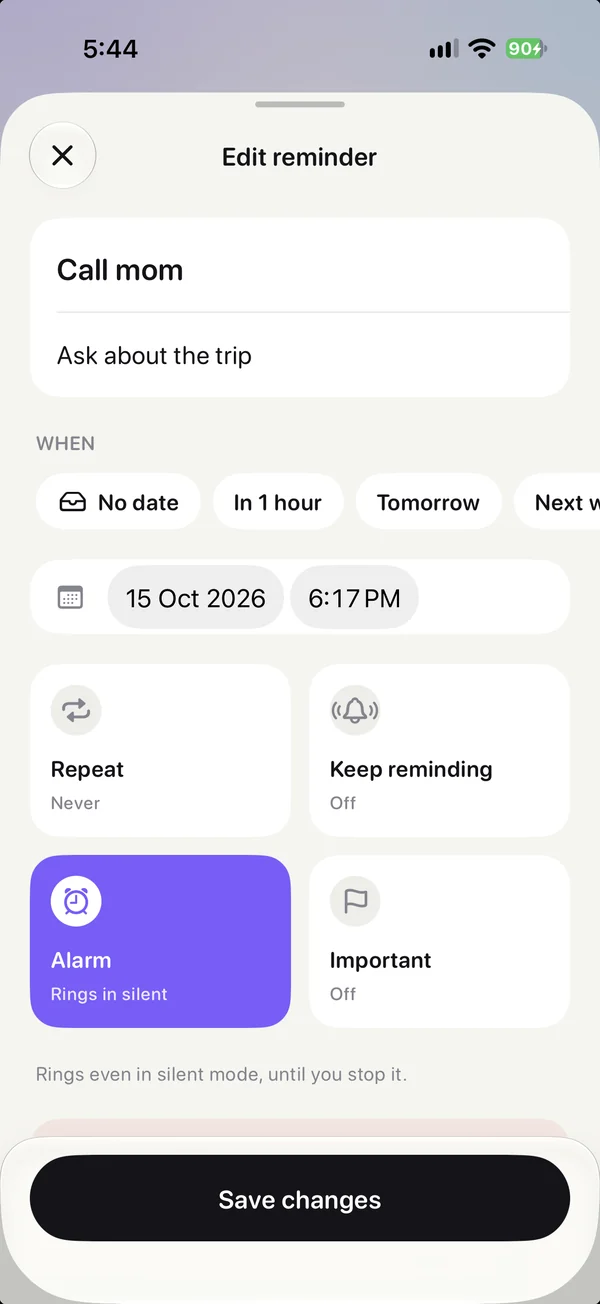
Editing the Call mom reminder in Foxnudge: date, time, repeat, keep reminding and an alarm that rings in silent mode
⏰ Call mom 6:00 PM 🎂 Mom turns 60 3 days Gym done 🔔 Rings in silent mode

Today

Your day, at a glance.

Pick a day and see it on one line, in time order. What’s next stands out.

  • Week strip with dots on busy days
  • Overdue items stay on top
  • Birthdays show up on their day
Foxnudge Today screen: a week strip and a timeline of the day, with the next reminder highlighted

Quick add

Type it. Done.

Write it the way you’d say it. Foxnudge finds the date and the time.
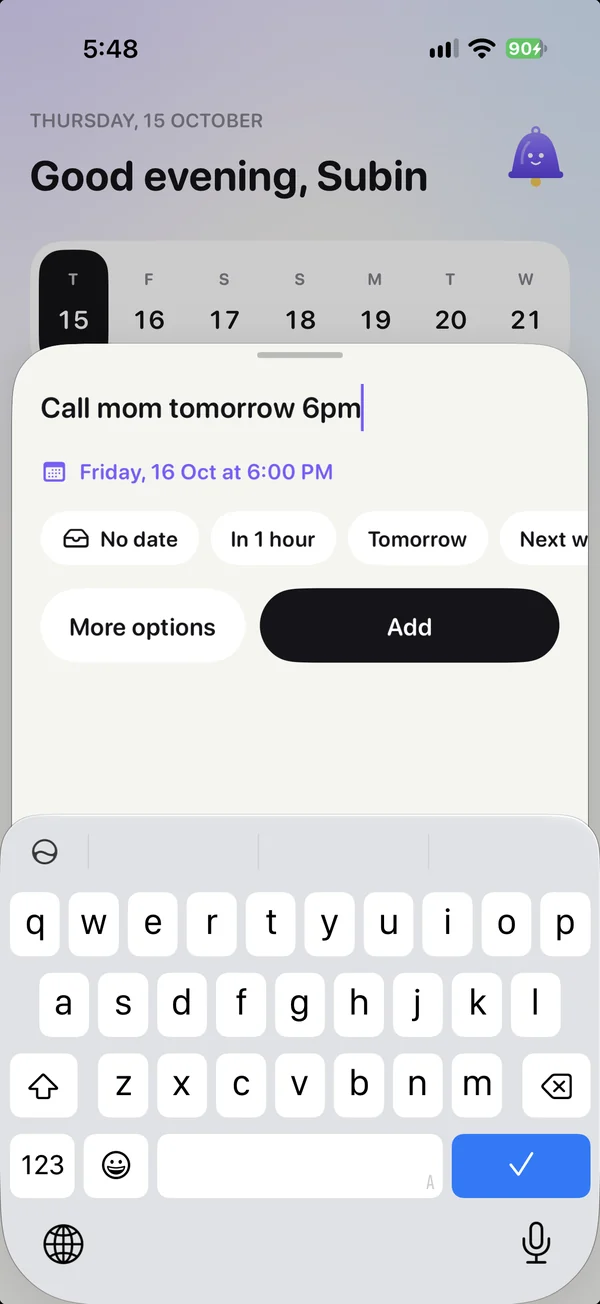
  • Understands “tomorrow 6pm”, “next Friday”
  • No time? It becomes a to-do
  • Repeats daily, weekly or monthly
Adding “Call mom tomorrow 6pm” in Foxnudge: the date and time are filled in by themselves

Special days

Every special day, counted down.

Birthdays, anniversaries, work days and pets, with the next one up front.

  • Countdown and “Turns 60”
  • Import birthdays from Contacts
  • Reminds you days before
Foxnudge Special days screen: Alex’s birthday is today, with Send wishes, and the next special days

Never miss it

Make it unmissable.

Alarms that ring in silent mode, and reminders that keep going until done.

  • Keep reminding every few minutes
  • Snooze from the alert
  • Spoken reminders
Editing the Call mom reminder in Foxnudge: date, time, repeat, keep reminding and an alarm that rings in silent mode

AI wishes

Wishes, written for you.

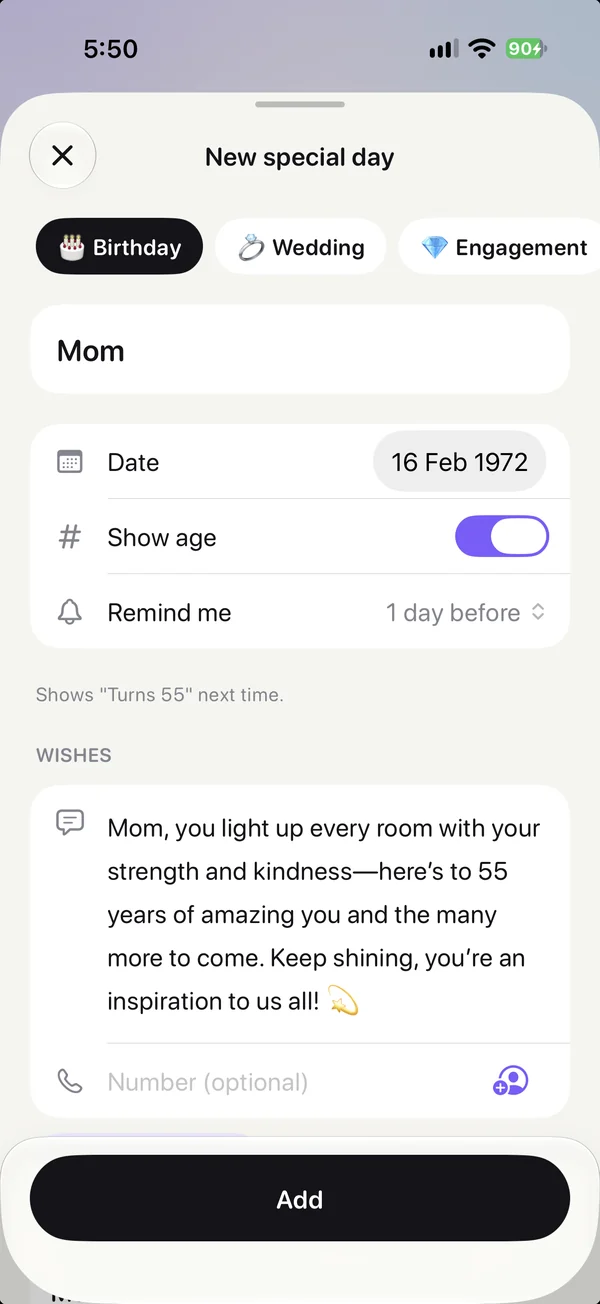
Pick a style and the message is written. Send it on WhatsApp or Messages.
  • 8 styles: warm, funny, romantic and more
  • Uses their age or years together
  • In your language
Adding Mom’s birthday in Foxnudge, with a birthday message written by AI

Privacy

Yours, and only yours.

No account to make, nothing to sign in to. Your reminders stay on your device.

  • No accountOpen it and start
  • No ads, no trackingNothing to sell
  • Face ID lockOnly you can open it
  • Automatic backupsRestore anytime
  • Works offlineReminders need no internet

Pricing

Free to start. One simple plan.

Free

$0

Free forever

  • 5 reminders and 5 to-dos
  • 3 repeating, 3 keep reminding
  • 1 alarm in silent mode
  • 3 special days
  • 3 AI wishes a month
  • Snooze, week view and Face ID
  • No ads, ever

Premium

$24.99 / year

7-day free trial · cancel anytime

  • Unlimited reminders and to-dos
  • Unlimited special days
  • Unlimited AI wishes, 8 styles
  • Unlimited alarms in silent mode
  • Every reminder spoken
  • Birthdays from Contacts
  • All 12 alert sounds

Prices in USD. Your local price is shown in the App Store.

FAQ

Good questions.

Is Foxnudge free?

Yes, with no ads. Free has 5 reminders and 5 to-dos at a time, 3 special days, 1 alarm and 3 AI wishes a month. Premium removes every limit, with a 7-day free trial.

Will it ring when my iPhone is on silent?

Yes, for reminders set to “Ring as alarm”. They ring full screen, even in silent mode, until you tap Stop. Other reminders arrive as normal notifications.

Can Foxnudge send birthday wishes for me?

It gets them ready. On the day, one tap opens WhatsApp or Messages with your message already written, and you tap Send. Apple doesn’t let apps send messages on their own.

How does the AI write wishes?

Pick a style, like warm, funny or romantic, and it writes a short message using the name, the occasion and the age or years together. You can edit it before sending.

Where is my data stored?

On your iPhone. There’s no account. Backups are saved automatically, and you can restore them anytime.

Is the AI private?

Only the name, the occasion and the style are sent to write a wish, and they aren’t stored. Your reminders never leave your device.

Which devices are supported?

iPhone 11 or newer, on iOS 26 or later.

Can I cancel anytime?

Yes. Manage or cancel Premium anytime in Settings › Apple Account › Subscriptions.

Never miss what matters.

Download Foxnudge free on the App Store.

Download on theApp Store